Your own website with DoQ
Every DoQ shop can have a website: a home page with your photos, prices, team, opening hours and a Book button. Your services, prices and hours come straight from DoQ, so the website is always up to date. It takes about ten minutes, and you can use your own domain (like yourshop.co.nz).
Make your website
- 1
Open Website and pick a template
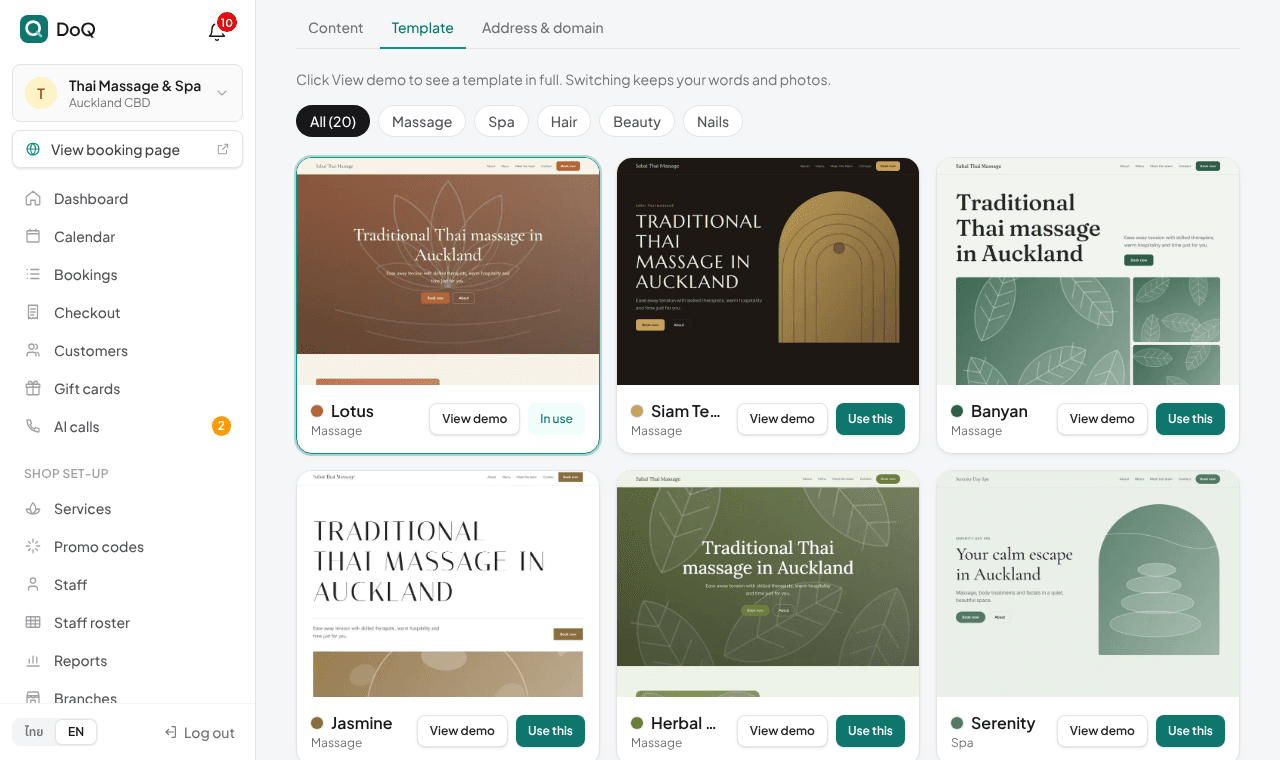
In DoQ, open Website in the menu (under Shop set-up; only the owner sees it). There are 105 templates, five of them with Thai patterns, for massage, spa, hair, beauty and nail businesses. Press View demo to see one in full, then Use this on the one you like.
- 2
Change the words and add photos
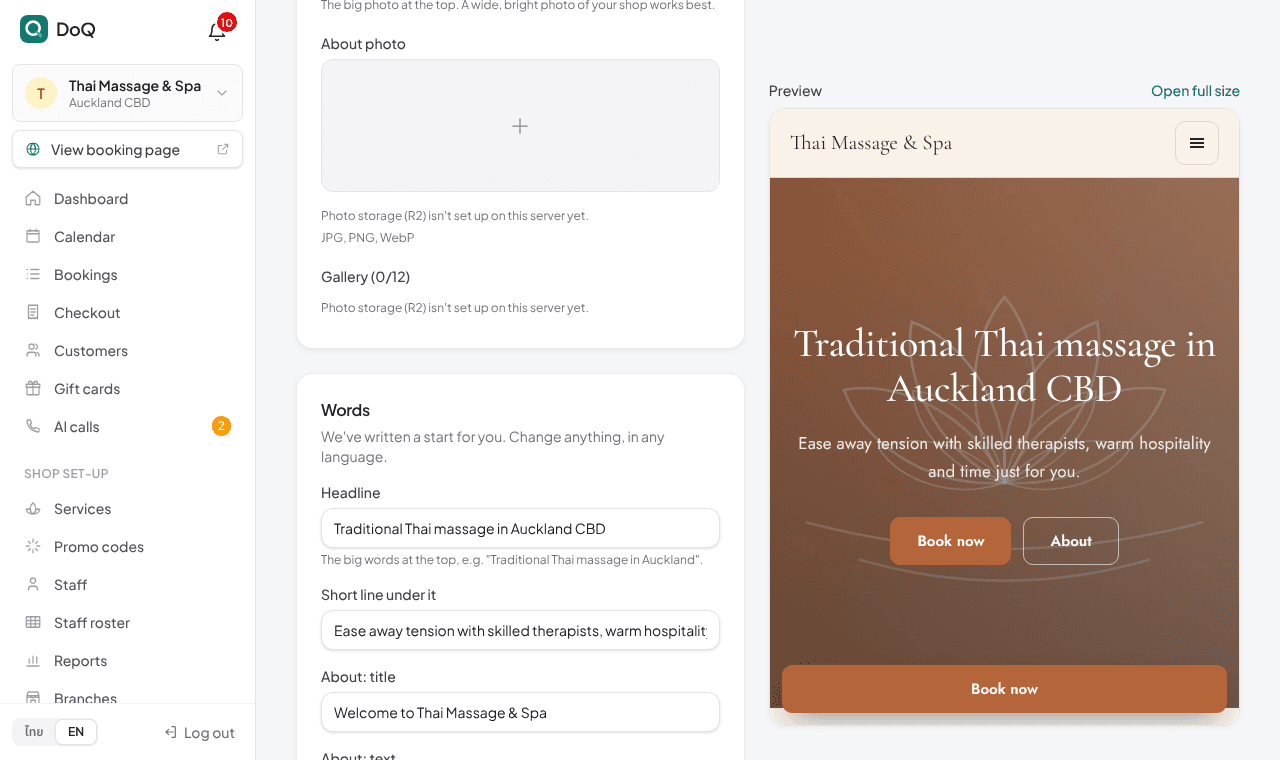
DoQ writes a start for you. Change the headline, short line and About text, upload your logo, a main photo and up to 12 gallery photos. Photos save as soon as they upload; press Save for the words. The preview on the right shows the result.
- 3
Publish
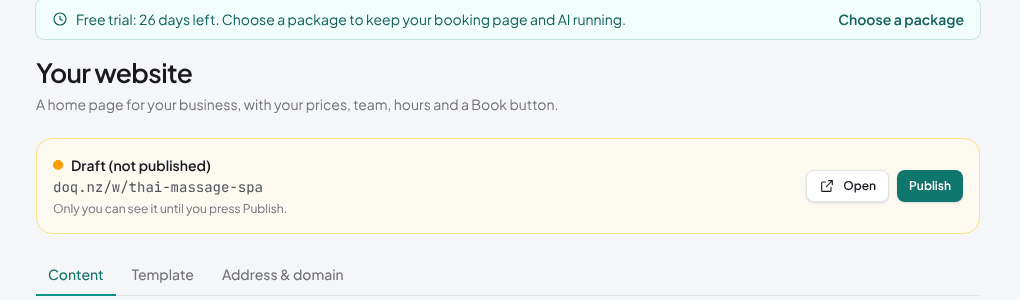
Until you press Publish, only you can see the website (it says Draft). Press Publish at the top and it is live. You can unpublish any time.
- 4
Change the look any time
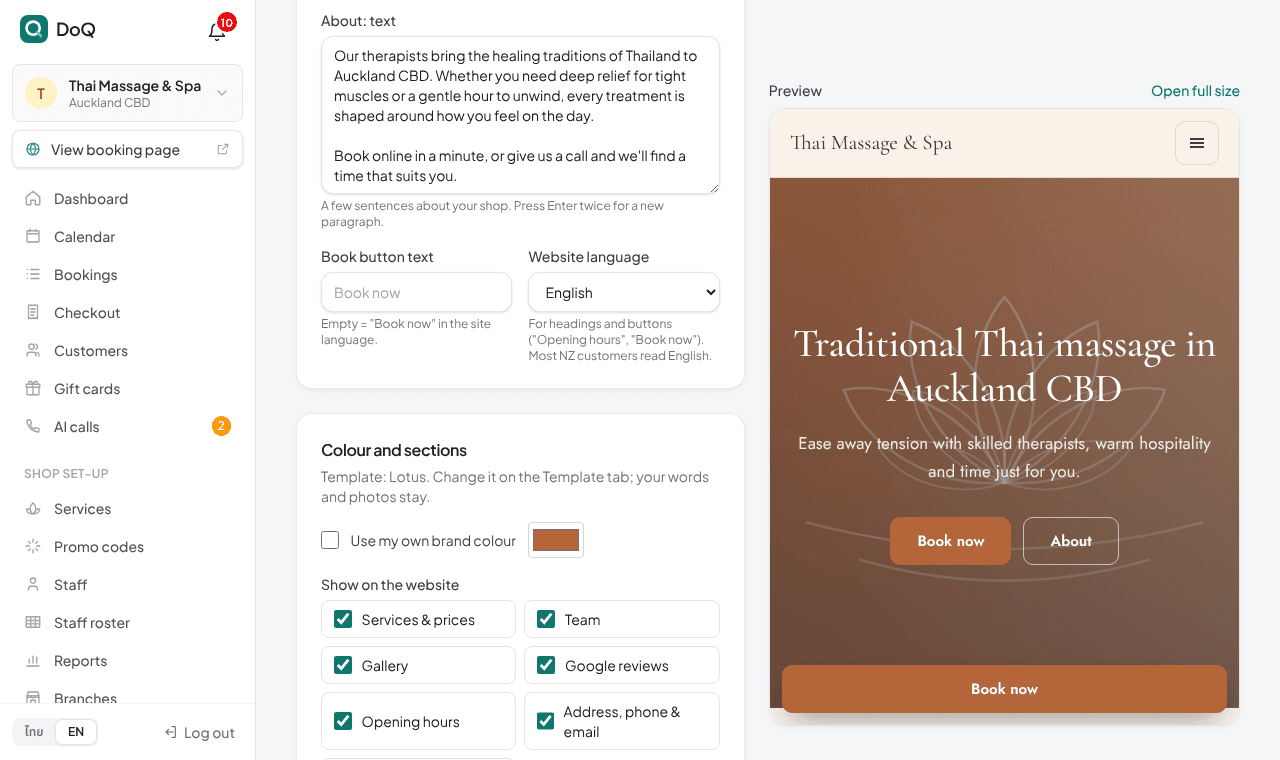
On the Template tab, pick another template. Your words and photos stay; only the look changes. You can also use your own brand colour and hide sections you don't need.
- 5
Your icon, counters and CSS
Under Pictures, add a square Site icon: it shows in the browser tab and when a customer saves your site to their phone. On the Code & tools tab you can add Google Analytics, Meta or TikTok pixels and search-engine verification codes (paste the code they give you; DoQ takes out the ID), and your own CSS. For your customers' safety there is no box for free HTML or scripts: your site shares its address with your booking and payment pages.
Your website's addresses
Your website works at three addresses. The first two are free and work straight away:
- yourshop.doq.nz
Your free address. Change the first part on the Address & domain tab.
- doq.nz/w/yourshop
The same website, at DoQ's own address.
- yourshop.co.nz
Your own domain, if you have one. Visitors only ever see your domain, even when they book.
Don't have a domain yet?
Buy one from any domain company (registrar). A .co.nz or .nz name usually costs NZ$20–40 a year. Popular ones in New Zealand are 1st Domains, Crazy Domains, Freeparking, Discount Domains and GoDaddy. Choose a short name customers can spell, ideally your shop's name. You don't need to buy hosting or a website builder: DoQ is your website.
Connect your own domain
Your website will open at www.yourshop.co.nz. You add one record in your domain's DNS settings and turn on forwarding for the address without www. It's like telling the post office your new address. Nothing changes for your email.
- 1
Type your domain into DoQ
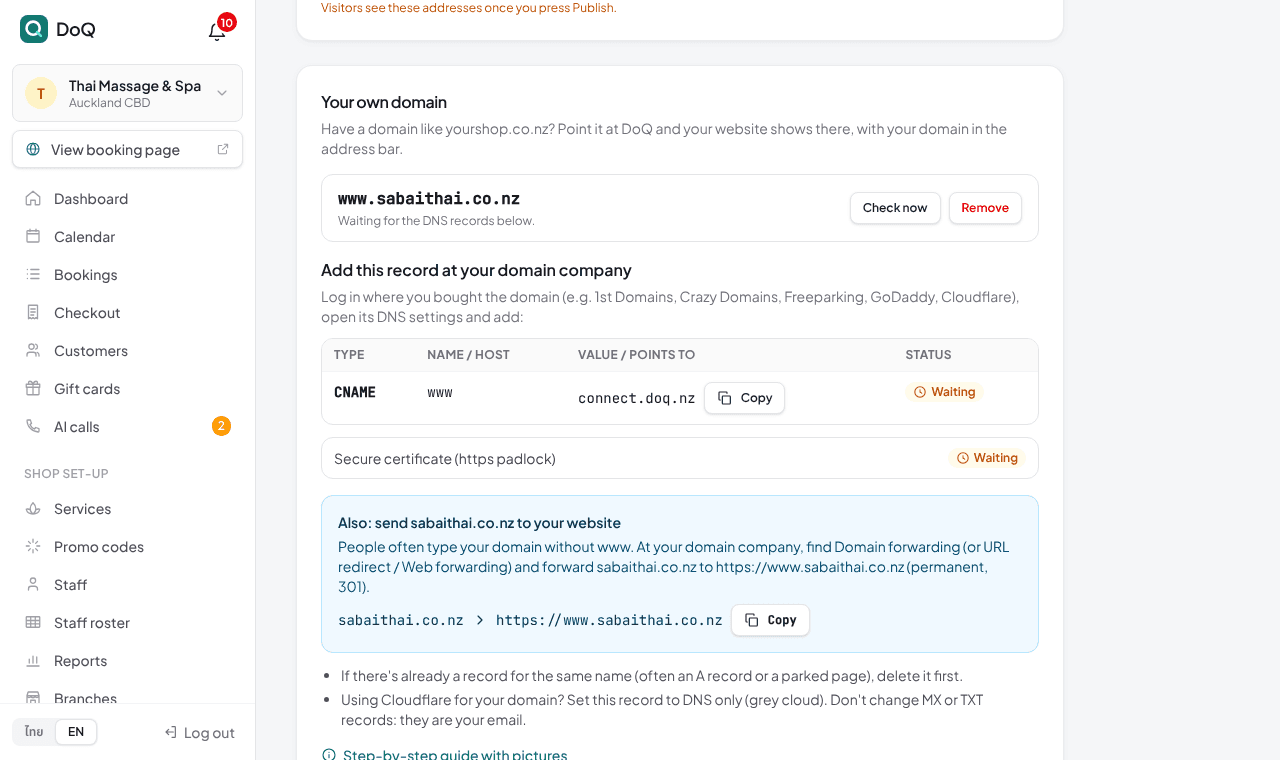
In DoQ, open Website, then the Address & domain tab. Under Your own domain, type your domain (for example sabaithai.co.nz) and press Connect. DoQ then shows exactly what to add.
- 2
Open your domain's DNS settings
Sign in where you bought the domain. Find your domain and look for DNS, Manage DNS, DNS records, DNS settings or Zone editor. (If your domain uses Cloudflare, sign in to Cloudflare instead: your domain, then DNS, Records.)
Drawing of the screen. Your domain company's page will look different, but has the same boxes. - 3
Add the CNAME record for www
Add a record with Type CNAME, Name www and Value connect.doq.nz. If the page asks for TTL, leave it as it is (or 1 hour). On Cloudflare, set it to DNS only (grey cloud).
Drawing of the screen. Your domain company's page will look different, but has the same boxes. - 4
Remove an old record for www
If there's already a record named www (an A record, or a CNAME to a "parked" page or an old website), delete it, or www will keep going to the old place. Don't touch MX or TXT records: those are your email.
Drawing of the screen. Your domain company's page will look different, but has the same boxes. - 5
Forward the address without www
Customers often type yourshop.co.nz without www. Find Domain forwarding (also called URL forwarding, Web forwarding or Redirect) and forward yourshop.co.nz to https://www.yourshop.co.nz, as a permanent (301) redirect. On Cloudflare: Rules, Redirect Rules, the "Redirect from root to WWW" template.
Drawing of the screen. Your domain company's page will look different, but has the same boxes. - 6
Wait a little, then press Check now
Changes usually work within 5–30 minutes, but can take up to 24 hours. Back in DoQ, press Check now. When the record and the secure certificate both show Working, your website is live at your domain, with the https padlock.
Where to find DNS settings
Menus change from time to time; look for the word DNS. Forwarding is usually next to it, called Domain forwarding, URL forwarding or Redirect.
- 1st Domains
- My Account → Domains → choose the domain → DNS / Manage DNS
- Crazy Domains
- Account → Domains → Manage → DNS Settings
- Freeparking
- My Domains → choose the domain → DNS Settings (Advanced)
- Discount Domains
- Domain management → choose the domain → DNS Records
- GoDaddy
- My Products → Domains → choose the domain → DNS
- Cloudflare
- Your domain → DNS → Records (set the record to DNS only, grey cloud). Forwarding: Rules → Redirect Rules.
If it doesn't work
- Still waiting after an hour
Check the record is spelled exactly as DoQ shows it, with no extra spaces or a dot at the end. Look at Found now in DoQ: it shows where www points at the moment.
- "Cloudflare proxy" message
Your domain is on Cloudflare with the orange cloud on, so DoQ can't see the record. Click the cloud next to the www record so it turns grey (DNS only), then Save.
- The address without www doesn't open
That's the forwarding (step 5). Some domain companies take an hour to start forwarding. Check it forwards to https://www., not http://.
- My domain uses other name servers
If your domain's name servers are somewhere else (for example your old website company), add the records there instead. Your domain company shows the name servers on the domain's page.
- Will my email stop working?
No. Email uses MX records, which you don't change. Only www points to DoQ.
- Is it secure?
Yes. Every address gets a free https certificate, renewed by itself, and visits go through Cloudflare, which filters out attacks.
Your own website with DoQ
Go to Website